
Bollyflix APK –
Download Latest
Version v20.3.0
Download the official Bollyflix APK for 2026. Watch live sports, including Cricket, Football, and F1, in stunning HD quality. Experience the redesigned Glass UI with zero-lag streaming on Android, Firestick, and Android TV.
.webp)
Information desk:
Bollyflix is one of the most popular Android applications for live sports streaming, covering Football, Cricket, Badminton, WWE, Motor Sports and more in full HD.
App Name | Bollyflix |
Version | v20.3.0 (FIFA Edition) |
Developer | Bollyflix Team |
Size | 270.31 MB |
Requirement | Android 5 or above |
License | Free |
Official URL | wow-level.com |
What’s New in Bollyflix 20.3.0
The biggest Bollyflix update yet — rebuilt from the ground up and ready for FIFA World Cup 2026.
Bollyflix Android App Review and Feature Guide
Finding a reliable media streaming application for your Android device can be quite a challenge, especially when navigating through numerous options available online. This comprehensive guide provides an in-depth look at bollyflix, examining its interface, functionality, content categories, and essential safety considerations. Whether you are curious about how the bollyflix Android app performs on various devices or want to evaluate its streaming capabilities compared to other platforms, this review will help you make an informed decision before proceeding.
What is bollyflix
The application functions as a media streaming utility designed specifically for Android operating systems. It aims to gather various types of entertainment programs, live broadcasts, and media channels into a single interface. Users typically explore this utility to access diverse programming categories, ranging from daily news bulletins to regional entertainment and sports broadcasts. Because digital media consumption spans multiple genres, the platform attempts to organize these selections into distinct tabs for easier navigation.
Regarding its content library and distribution model, this page could not verify that the app holds licences for the content it offers. While third-party streaming utilities often aggregate multiple channels and video feeds from across the web, their legal authorization status remains unclear. Users must keep this distinction in mind, as officially licensed media platforms secure explicit broadcasting rights from creators and networks, whereas unverified streaming applications generally operate outside standard distribution agreements.
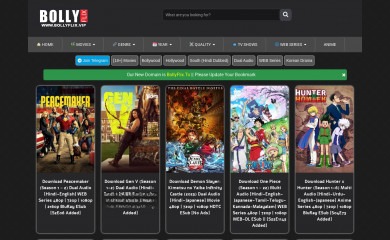
Key Features of bollyflix
Understanding the core functionalities of the bollyflix app review reveals how the software handles media playback and user interaction. Below are the primary features observed within the application environment.
Live Channels and Broadcasts
The platform aggregates numerous live television feeds, allowing users to browse various domestic and international channels in one place. This feature caters to viewers who enjoy traditional broadcast programming alongside on-demand media without switching between multiple dedicated applications.
Sports Streaming Access
Sports enthusiasts frequently look for bollyflix features related to live match coverage, including cricket, football, and regional tournaments. The application provides dedicated feeds for ongoing sports events, enabling fans to follow matches directly from their mobile or tablet screens.
High Definition Video Support
For users with stable network connections, the application supports high-definition video playback. This capability enhances visual clarity and audio output, making movies and live broadcasts more engaging on compatible screens.
Multilingual Content Library
Language diversity is a key aspect of the platform, offering media selections in multiple regional and international languages such as Hindi, English, Tamil, Telugu, and others. This variety allows speakers of different languages to find suitable entertainment options.
Lightweight Application Design
The software is built to maintain a relatively small file footprint, ensuring that it runs smoothly even on older Android smartphones or devices with limited internal storage and RAM capacity.
What You Can Watch
The platform organizes its media collection into several broad categories to help users locate specific programming genres. Viewers can explore categories such as regional movies, television dramas, news updates, documentary programs, and children's entertainment sections. Language options span across major Indian languages like Hindi, Tamil, Telugu, Bengali, Punjabi, as well as English international feeds. It is important to note that availability can fluctuate based on server status and feed stability, and the platform focuses strictly on standard entertainment genres rather than promoting newly released commercial theatrical films.
Device Compatibility
The bollyflix Android app can be installed across a variety of hardware configurations running the Android operating system. Below is a breakdown of supported device types:
- Android smartphones from various manufacturers
- Android tablets and portable media devices
- Android Smart TVs and streaming boxes
- Firestick and compatible casting hardware
bollyflix vs Licensed OTT Platforms
| Criteria | bollyflix | Licensed OTT Platforms (e.g., Netflix, JioHotstar) |
|---|---|---|
| Content Authorization | Not confirmed | Fully licensed and authorized |
| Subscription Cost | Typically advertised as free | Paid subscription tiers or ad-supported official models |
| Video Quality | Varies by source feed (Up to HD) | Consistent HD / 4K with adaptive bitrate |
| Advertising | Varies by third-party source | Managed advertisements or ad-free premium tiers |
| Customer Support | None or community-based | Official customer service and help desks |
| Update Source | Third-party APK repositories | Official app stores (Google Play Store) |
Pros and Cons
| Pros | Cons |
|---|---|
| Lightweight app size suited for low-end devices | Source and legal authorization of content remain unverified |
| Organized categories for live channels and sports | Not distributed through official app stores like Google Play |
| Multilingual content and regional language support | Potential performance instability and broken stream links |
| Simple user interface with basic playback controls | Risk of downloading unverified files from unknown websites |
Safety and Legal Considerations
When evaluating bollyflix safety, users must exercise caution regarding where they obtain installation files. Applications not hosted on official marketplaces like the Google Play Store require manual installation via APK files downloaded from third-party websites. This practice carries inherent cybersecurity risks, including exposure to modified files, hidden malware, or excessive permission requests that could compromise personal data security.
Furthermore, regarding intellectual property, this page could not verify that the app holds licences for the content it offers. Streaming copyrighted material through unverified third-party channels may carry legal risks under Indian copyright regulations. Readers are strongly advised to independently verify the legal status of any streaming service they use and prioritize platforms that hold legitimate distribution rights.
Before installing any application from outside official stores, users should perform standard safety checks. This includes verifying the publisher's identity, carefully reviewing requested app permissions (such as access to contacts, storage, or microphone), and running a reputable security scan using tools like Google Play Protect to detect potential threats.
Before You Install
Because this application is not distributed through official mainstream app stores and its licensing status is unverified, users should carefully weigh the potential risks before proceeding. Rather than attempting to bypass device security settings to install unknown APK files, consider reviewing official streaming platforms that offer transparent terms of service, secure payment models, and fully authorized media catalogs.
Common Problems and Troubleshooting
Users of media streaming applications occasionally encounter technical hurdles during playback. Here are standard troubleshooting steps for common issues:
- Buffering and Lag: Check your internet connection speed or restart your home router to stabilize network bandwidth.
- Playback Errors: Clear the application cache through your device settings or restart the app to clear temporary data glitches.
- Audio Sync Issues: Stop and restart the media stream, or toggle the video resolution settings if available.
- App Freezing: Ensure your device has sufficient free storage space and RAM available before launching media streams.
Licensed Alternatives
If you prefer secure, officially licensed streaming services that operate within legal frameworks in India, consider the following platforms:
- Netflix: A global streaming giant offering a vast library of original movies, international series, and regional content. Best for premium entertainment seekers.
- Prime Video: Provides a wide selection of movies, web series, and live sports coverage bundled with shopping perks. Best for comprehensive family entertainment.
- JioHotstar: Features extensive live cricket broadcasts, regional movies, and popular television shows. Best for sports and mainstream Indian media fans.
- SonyLIV: Known for live sports, football tournaments, and original Sony network dramas. Best for sports enthusiasts and drama lovers.
- ZEE5: Focuses heavily on regional Indian movies, music videos, and original web series across multiple languages. Best for regional content consumers.
Frequently Asked Questions
Is bollyflix available on the Google Play Store?
No, the application is not officially listed on the Google Play Store. Users typically find it hosted on various third-party APK distribution websites across the internet.
Does bollyflix hold official content licenses?
This page could not verify that the app holds licences for the content it offers. Its broadcasting rights remain unconfirmed by official verification authorities.
What should I check regarding bollyflix safety?
Users should be cautious of potential malware risks associated with downloading APK files from unknown sources. Always review app permissions and use security scanner tools before installation.
Can I run bollyflix on a Windows PC?
Direct PC installation files are not provided, but some users employ third-party Android emulators like BlueStacks or LDPlayer to run mobile APK files on desktop computers.
What are the best licensed alternatives to bollyflix?
Official alternatives include established platforms like Netflix, Amazon Prime Video, JioHotstar, SonyLIV, and ZEE5, which offer legal and secure streaming services in India.
Conclusion
Evaluating bollyflix requires a balanced view of its features and potential risks. While the application aims to provide a lightweight environment for organizing live channels and regional media on Android devices, the lack of verified content licensing and official store distribution warrants caution. Users interested in bollyflix Android app usage should carefully weigh security factors, examine device permissions, and consider authorized streaming platforms to ensure a secure and legal entertainment experience.